Hi, I'm Diogo. I build apps for a living, and I spend a lot of my free time 3D printing functional parts on my Bambu X1C. Like a lot of makers, I was frustrated by the CAD options out there.
I wanted a tool that felt at home on the iPad with an Apple Pencil, so I could design on the sofa, but I also needed the precision of a real parametric modeller. If a part doesn't fit, I don't want to start over—I want to edit the sketch and let the computer do the rest. I also didn't want my files held hostage in a cloud service, or to pay a hefty monthly subscription for heavy industrial features I'd never use.
Kulma is the app I built to solve this for myself. It’s not trying to replace complex engineering suites; it’s designed to be the fastest, most comfortable way to go from a measurement in your head to a sliced file on your printer.
Diogo
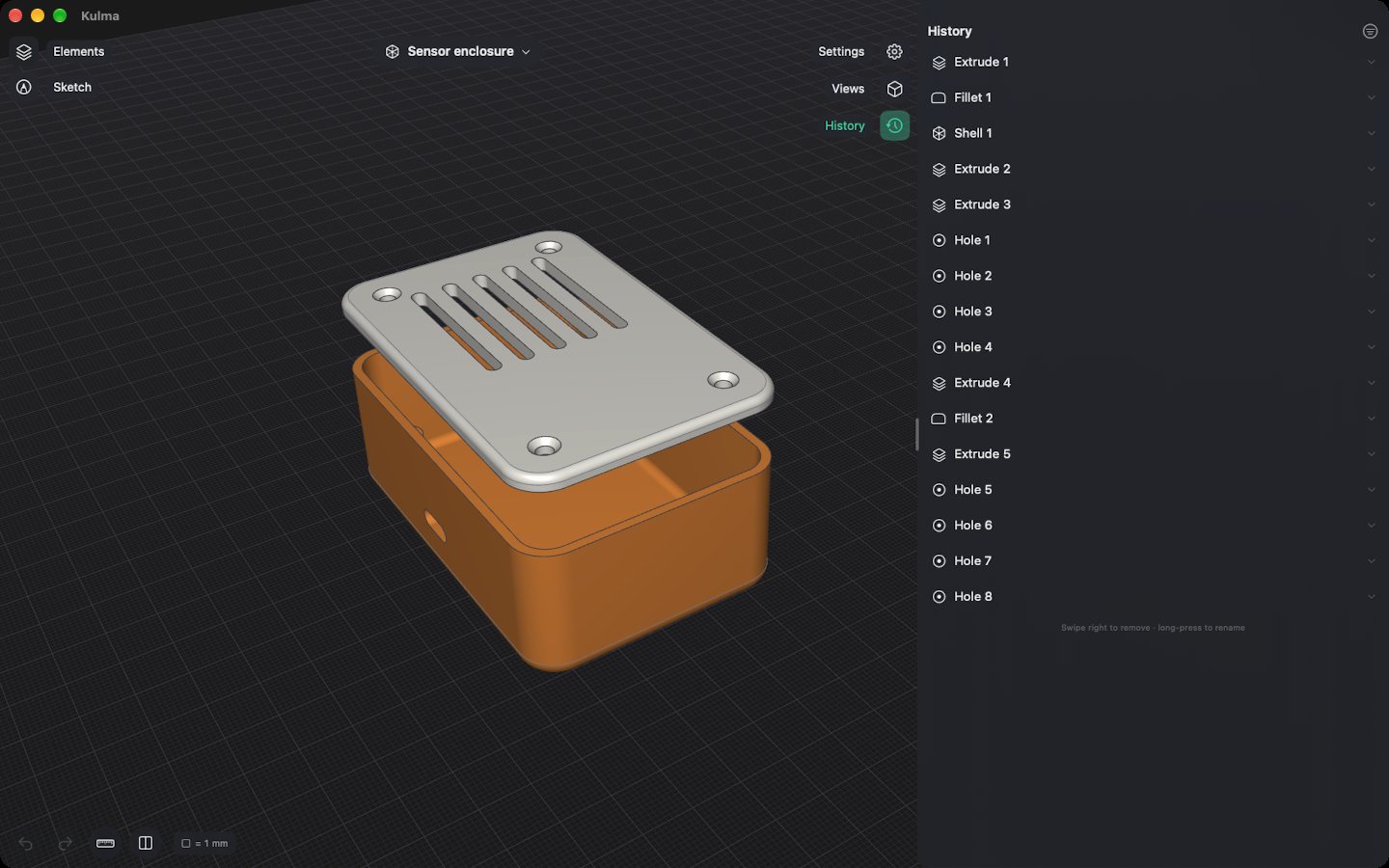
No destructive edits. Everything is parametric.
We've all been there: a three-hour print finishes, and the mounting holes are half a millimetre too close together. In Kulma, every operation stays in the History list with its exact numbers. Just open the original sketch, tweak the dimension, and watch the entire model rebuild itself. Holes stay where they belong and fillets safely re-apply to the correct edges.
Dragging is for getting close. Typing is how you get the exact value. Undo covers all of it, including colours, names and the steps inside a sketch.
Precision sketching
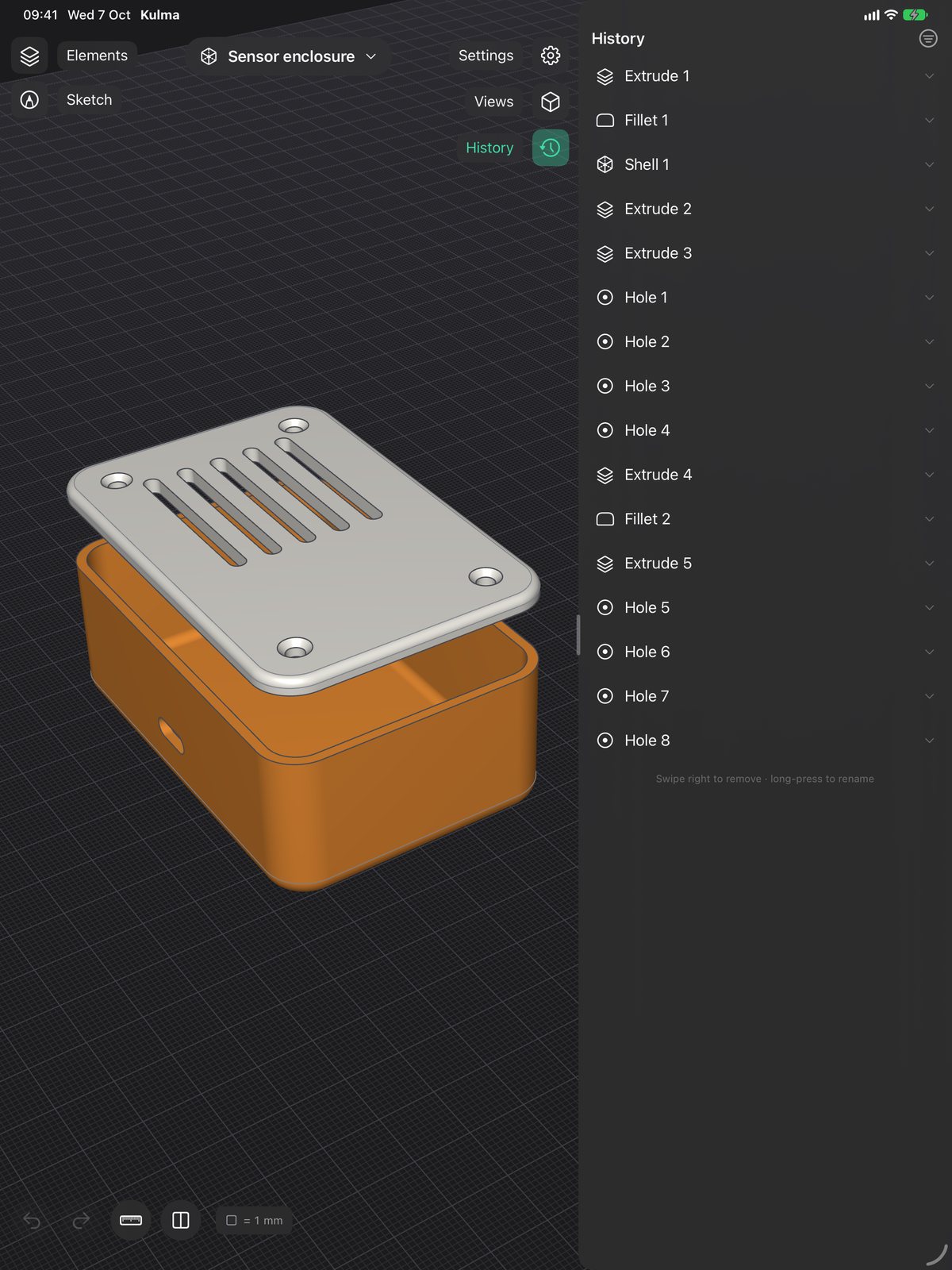
Precision sketching that feels natural. Draw directly on the ground plane or onto any flat face: lines, arcs, rectangles, circles, ellipses, and text. Instead of guessing, just tap a dimension to type the exact number. Constraints (horizontal, vertical, parallel, perpendicular, tangent, concentric) lock your design down, while smart guides automatically snap to centres and midpoints as you work.
Already have a drawing? Drop in a DXF or SVG. Kulma reads the file's units and preserves true arcs and circles instead of breaking them into hundreds of jagged lines.
Contextual modelling
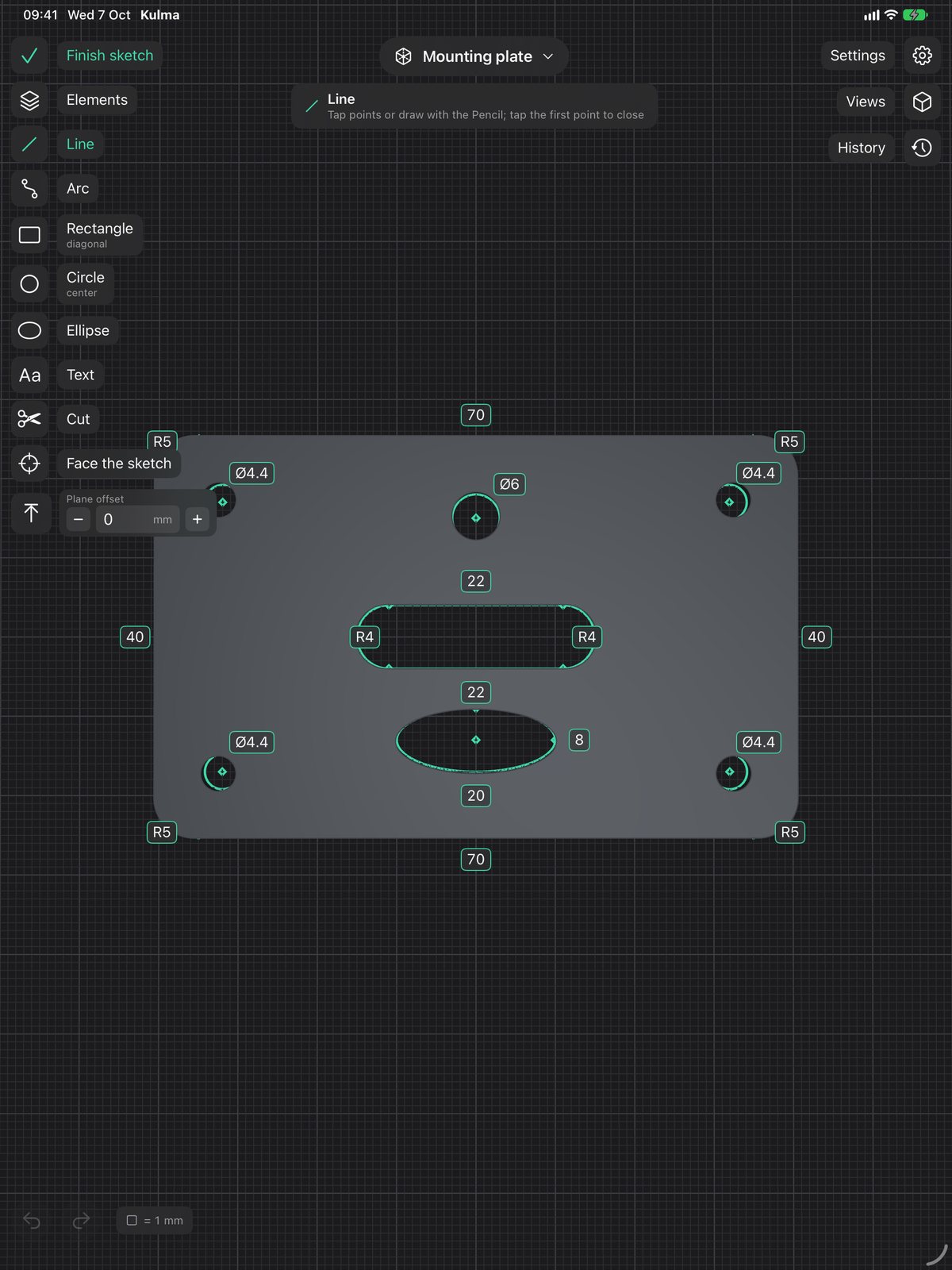
Bring your sketch into 3D. Extrude, revolve, sweep along a path, or loft between profiles. You can create a new body, or add, cut, and intersect with existing ones.
Need to make adjustments? Push and pull faces, drill holes (countersunk for your screws), shell a body to save filament, or offset a face to get the perfect friction fit.
Kulma's interface stays out of your way: whatever you select, the exact tools you need appear on the left. No sprawling ribbons, no hunting through toolbars.
Painless fillets and chamfers
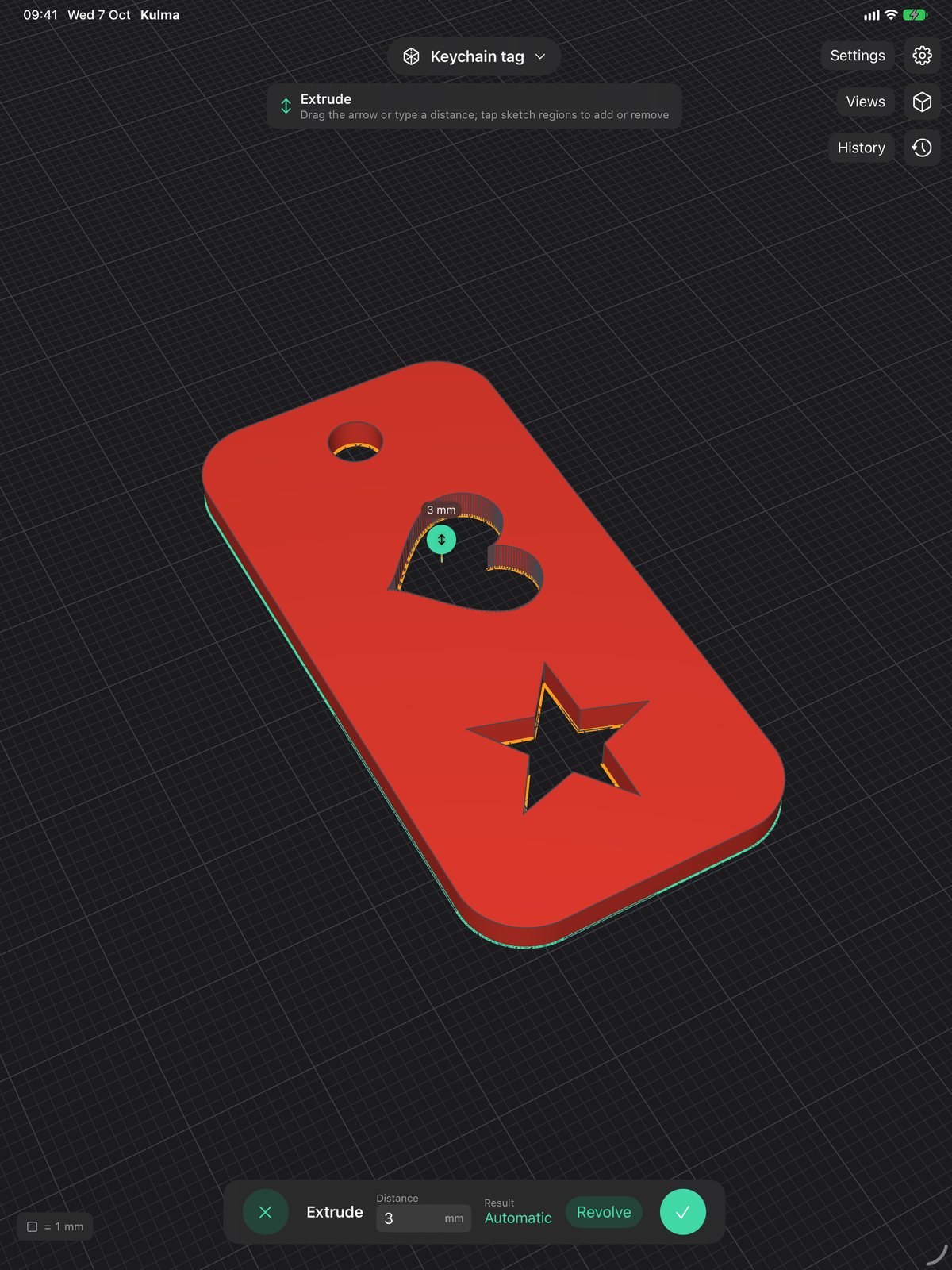
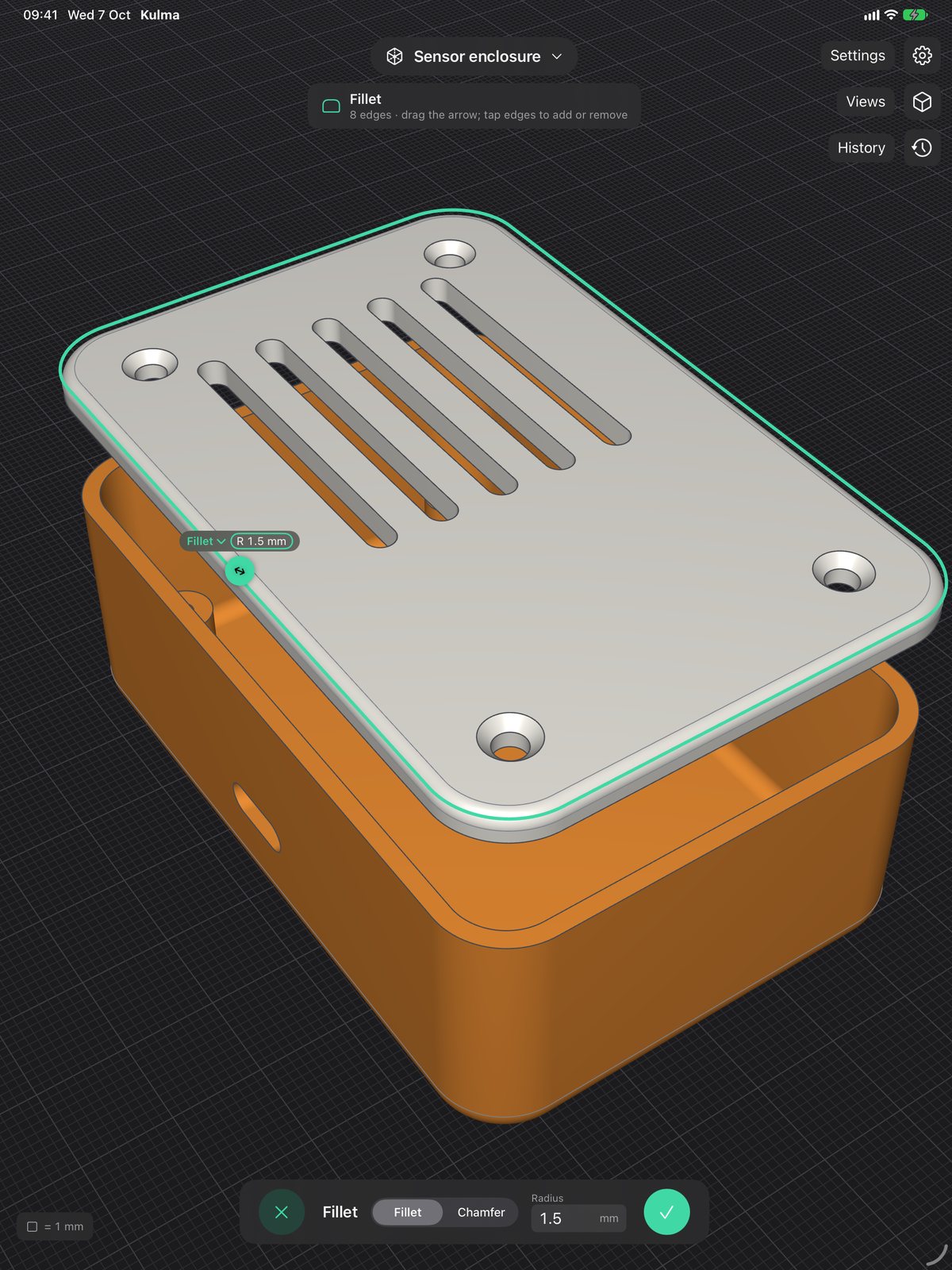
Softening corners shouldn't be a chore. Just tap the edges you want and drag. Kulma picks up tangent edges as a continuous chain, meaning you can round off a complex rim with a single tap. It handles straight lines, curves, outer corners, inner seams, and hole rims seamlessly. You can even toggle between a round fillet and a sharp chamfer mid-drag.
Threads that actually fit
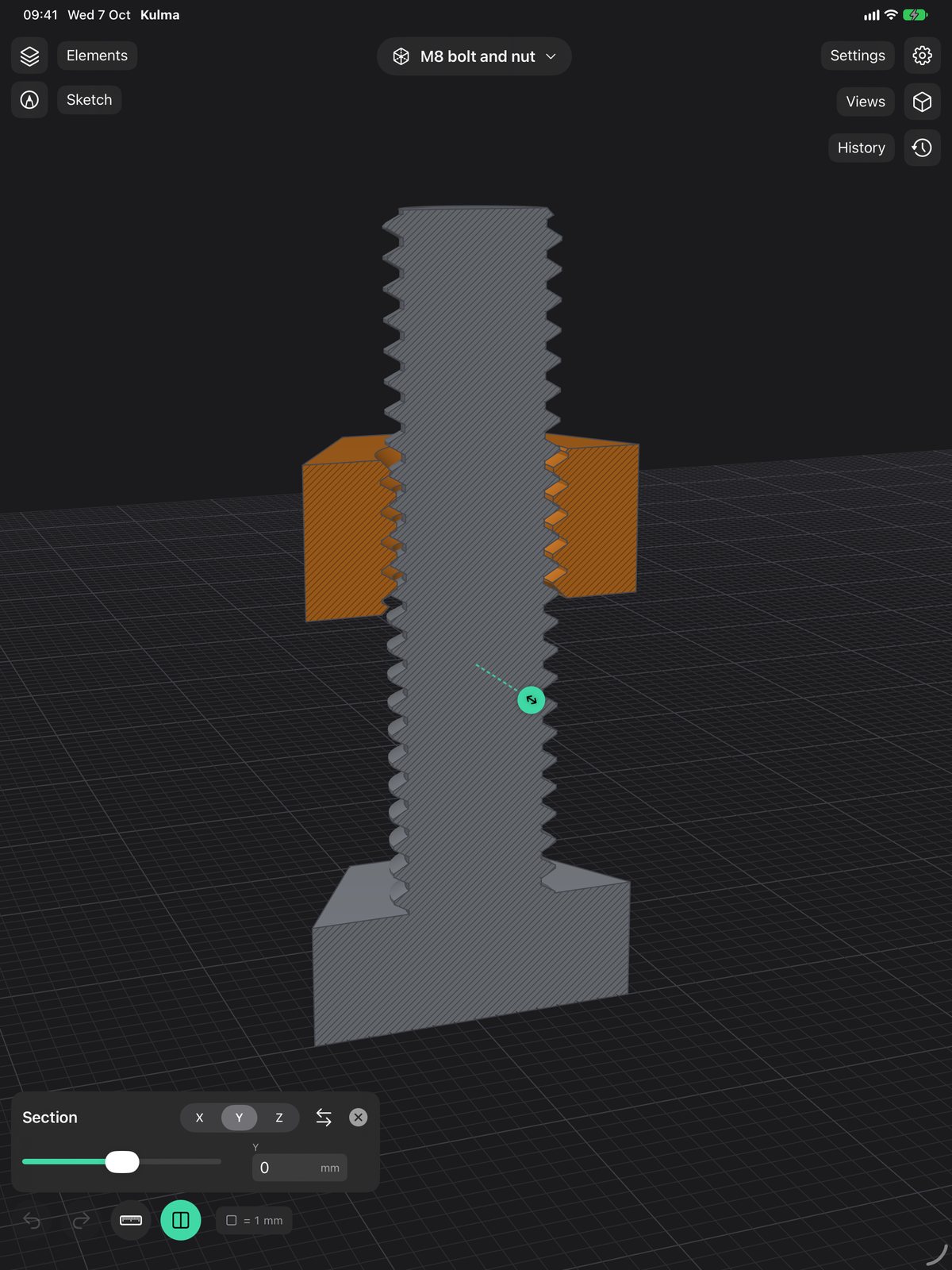
There is nothing quite as satisfying as a printed bolt screwing perfectly into a printed nut. Pick any cylinder or hole, and Kulma cuts a true ISO metric thread with the correct standard pitch. A built-in clearance setting (0.2 mm works beautifully on a standard 0.4 nozzle) ensures they mesh right off the build plate, complete with chamfered ends so the first turn always catches.
Use the section view to slice the model open along any axis or face, letting you verify the internal fit before wasting any filament.
Built for the slicer
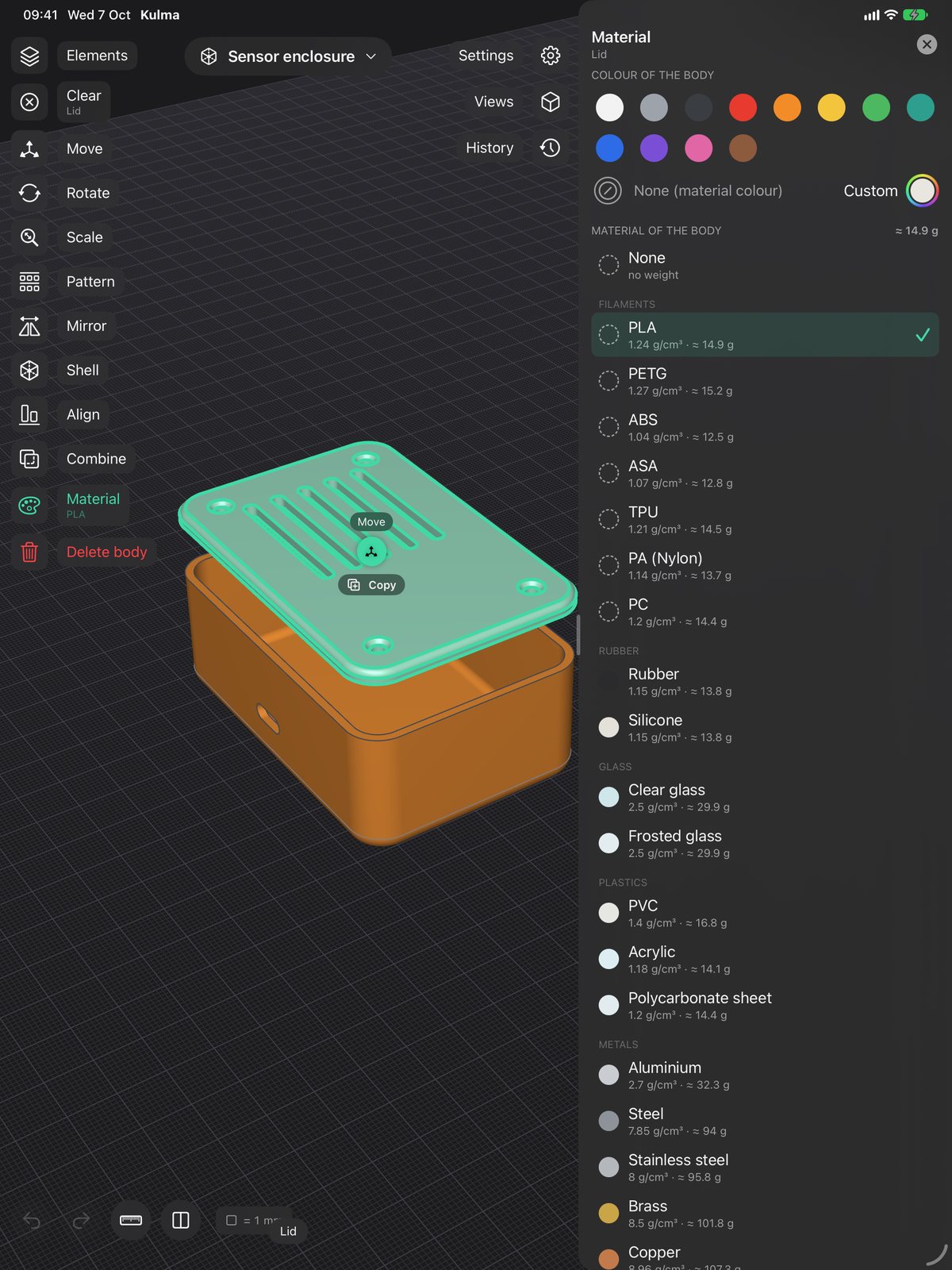
Assign colours and materials to your bodies or individual faces, and Kulma will instantly calculate the part's final weight. Standard filaments like PLA, PETG, ABS, ASA, TPU, and Nylon are built in, alongside glass, metals, and wood. You can easily add custom materials with their own density.
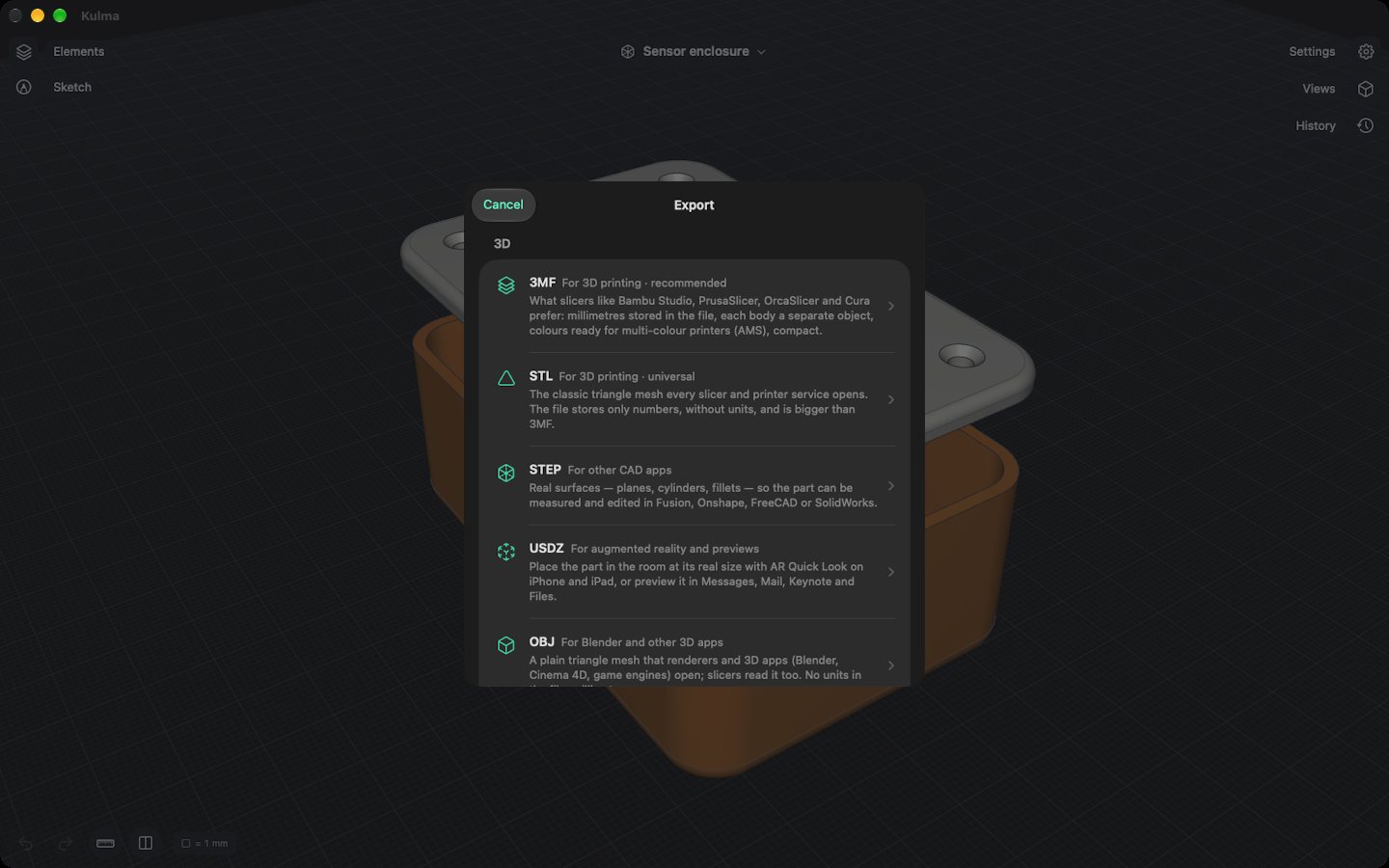
When you export to 3MF, your colours and materials go with it, so your slicer automatically maps them to your multi-material unit (like an AMS). You can also use the ruler to verify lengths, angles, and volumes, or use AR on the iPad to see the part sitting on your real desk before you print it.
On iPad and on the Mac
Same app, same files. One purchase covers both.
iPad
- Pencil
- draws and selects
- One finger
- orbits the view
- Two fingers
- pan; pinch to zoom, twist to roll
- No Pencil?
- tap with a finger to place points and select
Mac
- Click and drag
- draws and selects
- Right-drag
- orbits; with Shift or the middle button it pans
- Scroll or pinch
- zooms; twist on the trackpad to roll
- Keyboard
- Enter confirms, Esc finishes a sketch, ⌘Z undoes
File formats
| Format | Use it for |
|---|---|
| 3MF | Slicers such as Bambu Studio, PrusaSlicer, OrcaSlicer and CuraUnits are stored in the file, each body is its own object, and colours and materials are kept. |
| STL | Any slicer or print serviceBinary or ASCII, in millimetres or inches. |
| STEP | Other CAD softwareReal surfaces (planes, cylinders, cones, spheres, tori) rather than triangles, so the part can still be measured and edited. Colours included. |
| OBJ, USDZ | 3D apps, AR and previewsWith materials. USDZ opens in AR Quick Look, Messages, Mail and Keynote. |
| DXF, SVG | Laser cutters, plotters, drawingsOf a sketch or a flat face, in millimetres, with exact arcs and circles. |
| Import | STL meshes as bodies, DXF and SVG as sketches, and other Kulma documents |
Fair pricing, no hostage situations
The first 14 days are completely free, with zero features held back. The trial only starts the first time you actually edit something, not the moment you download the app. After that, you can subscribe or buy it outright.
Trial
14 daysFull functionality, completely free. No payment details required.
Kulma Yearly
€19.99 a yearRenews yearly, cancel anytime directly in your Apple Account.
Kulma Lifetime
€49.99 oncePay once, keep it forever. All future updates included.
If you decide not to buy, your files are still yours. Kulma will always open your documents—you can view them, measure them, and use section views indefinitely. Only editing and exporting are locked.
Prices in euro. The App Store shows them in your currency.
Questions
Does it need an internet connection?
No. All the modelling happens on your iPad or Mac. The only connection Kulma makes is to the App Store, to check your purchase.
Where are my files?
On iPad, in Kulma's folder in the Files app. On the Mac, in its Documents folder. They're ordinary .kulma files, and you can also open and save them in iCloud Drive or anywhere else.
What happens when the trial ends?
Nothing is deleted. You can open every document, look at it, measure it and cut it open. Editing and exporting come back when you buy Kulma Yearly or Kulma Lifetime.
Can it do assemblies or 2D drawings?
No. Kulma is meant for single parts and small sets of parts that you print or cut. There are no joints, drawing sheets or simulation, and I'd rather make the things it does work well.
Will my parts open in other CAD apps?
Export STEP. It keeps real surfaces, so the part can be measured and changed there. For slicers, use 3MF or STL.
Which devices does it run on?
iPads with iPadOS 17 or later, and Macs with macOS 14 or later, Apple silicon or Intel. An Apple Pencil helps but isn't required.
Support
Email me. I read everything, and if something goes wrong, attaching the .kulma file makes it much easier to find.
[email protected]